Three requirements to specify separately
RTSP decoding receives a supported network stream and turns it into a usable source at the endpoint. It does not automatically guarantee compatibility with every IP camera or encoder.
Multiview combines selected sources into one display layout. A video wall distributes an image or composition over multiple physical displays. Specify the number of sources and screens separately.
| Requirement | What to define | What to confirm |
|---|---|---|
| RTSP decoding | Camera or stream sources and intended output | Codec, profile, resolution, frame rate, authentication and stream transport |
| Multiview | Windows, source combinations and operator presets | Simultaneous decode limits, supported layouts and scaling |
| Video wall | Display count, arrangement and content layout | Wall dimensions, bezel correction, output timing and control workflow |
Choose the endpoint by its system role
The following is a starting point based on the published Taska catalogue. It is not a guarantee that every listed function can run simultaneously at its maximum setting. Check the exact model, configuration and firmware with Taska before ordering.
| Model | Published role / capability | Selection consideration |
|---|---|---|
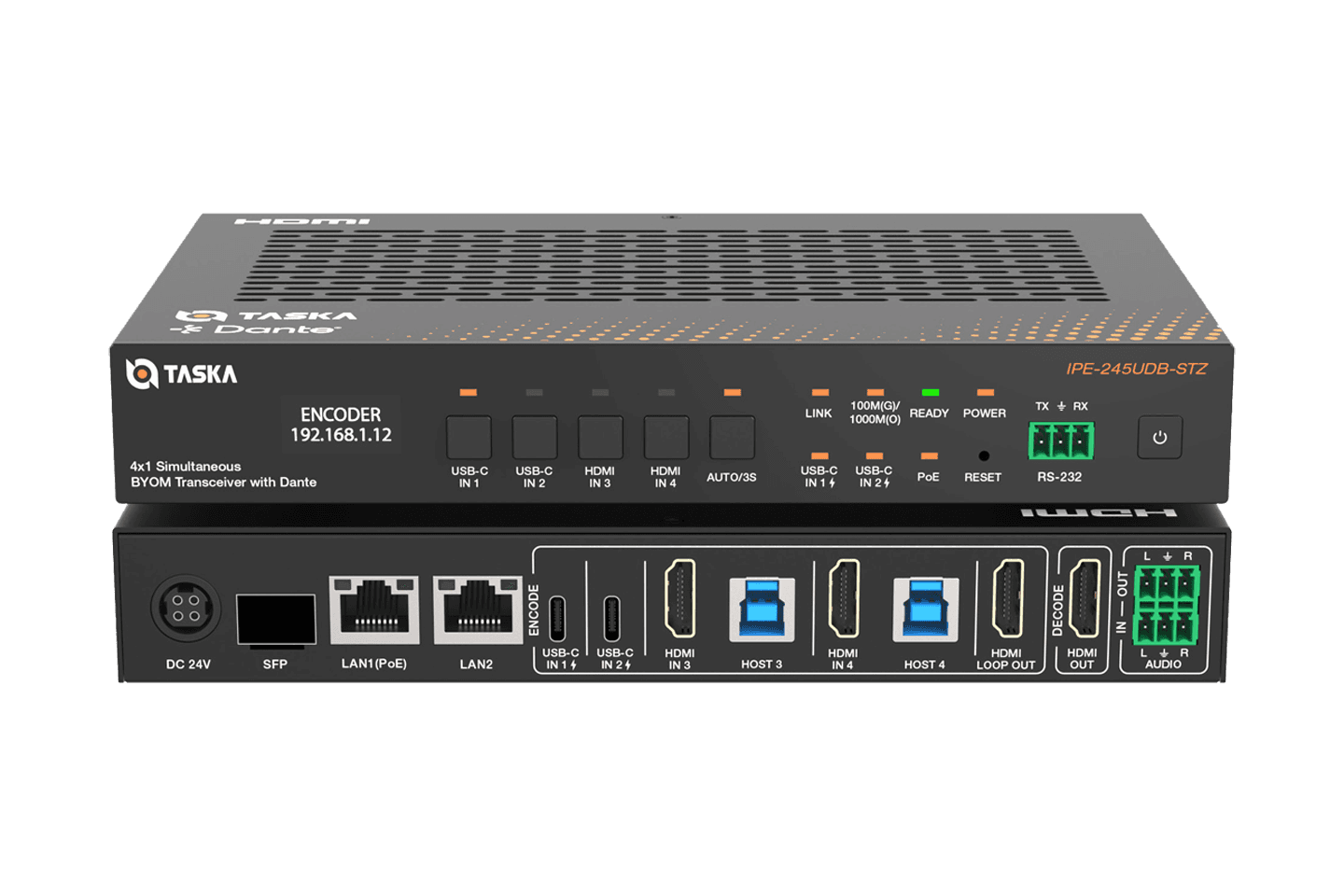
| IPE-245UDB-STZ | Simultaneous encoding and decoding, Dante audio, UVC/UAC BYOM | For rooms needing network AV together with laptop conferencing paths |
| IPE-200UD-TZ | 4K60 AV over IP transceiver with Dante audio | For network video and Dante audio integration |
| IPE-200Uv2-TZ | Maximum 4K60; encoder/decoder roles; optional Dante | Confirm Dante configuration and fiber/copper network design |
| IPE-100U-TZ | Maximum 4K30; encoder/decoder roles; Gigabit Ethernet and SFP | For designs where 4K30 meets the display requirement |
Plan audio and USB independently
All four transceiver models listed above have published RTSP, multiview and video-wall capabilities. Do not infer identical Dante, AES67 or USB capture functions across the family.
IPE-245UDB-STZ combines Dante audio with video-to-UVC and audio-to-UAC functions for BYOM. Trace the camera, microphone, room audio and display path separately. Confirm the laptop and conferencing platform formats required by the project.
A conceptual lecture-room example
A lecturer’s presentation and a compatible network camera can be specified as separate sources for a multiview display. If the same content must span several screens, add a video-wall requirement rather than assuming that a multiview layout defines the wall.
Write down what each screen must show, how an operator recalls layouts, and what happens when a source disconnects. This is a design example, not a completed Taska installation.
Network and control checks before a specification is final
Give the network team a source/destination schedule and the expected number of simultaneous streams. Confirm bandwidth, multicast requirements, switch configuration, uplinks, power and network separation against the selected model documentation.
IPE-300C provides centralized IPE Series management and control. Review the management and endpoint command lists together. Include operator access, presets, recovery steps and firmware versions in the handover. No universal bandwidth, latency or maximum window count is assumed here.
Questions before you specify
Is multiview the same as a video wall?
No. Multiview describes the composition of several sources; a video wall describes how content is mapped across physical displays. A system may need both.
Does RTSP support mean every camera will work?
No. Validate the proposed stream’s encoding, authentication and transport against the endpoint and firmware. Arrange a compatibility test where the documentation does not settle it.
Is Dante standard on every IPE transceiver?
No. IPE-200Uv2-TZ lists optional Dante. Use the exact model configuration and published resources rather than assuming family-wide audio capabilities.
What should I send Taska for model selection?
Provide source types, stream formats, screen count and resolution, layouts, network plan, audio paths, USB devices, control requirements and project country.
Product documentation and next steps
Published product pages and their linked documentation underpin the model facts in this guide. Confirm the current model, firmware and documentation revision for your installation.