Nexus Series · HDMI + USB solutions

Nexus HDMI + USB
Switching and extension.

NexusH and NexusC endpoints work together across one CAT6a link, extending 5K60 4:4:4 video and 2.5 Gbps USB data for modern meeting rooms.

5K604:4:4 video
2.5 GbpsUSB data
1 × CAT6aroom link
100 WPD on NexusC-T

Choose the role

Extend the room. Switch the sources.

Nexus brings the table-side interface and wall-side interface into one flexible platform. Select the connection each end of the room needs.

Extension platform

Choose the interface at each end.

NexusH and NexusC endpoints interoperate, so the source connection and the room endpoint can be selected independently.

NexusH

HDMI + USB

For HDMI sources, displays and USB room peripherals.

HDMI + USB→CAT6a→HDMI + USB
Explore NexusH

NexusC

DP Alt + USB

For full-function USB-C at the meeting table or endpoint.

USB-C→CAT6a→USB-C
Explore NexusC

Mix and match

Build the Nexus link around the room.

Table-side transmitterWall-side receiverBest fit
NexusC-TNexusH-RUSB-C table to HDMI display and USB video bar
NexusC-TNexusC-RUSB-C BYOM to Cisco Bar Mini
NexusH-TNexusH-RHDMI + USB to display and Rally Bar
NexusH-TNexusC-RHDMI + USB source to USB-C endpoint

Choose the role

Choose switching, extension, or both.

Select sources at the table.

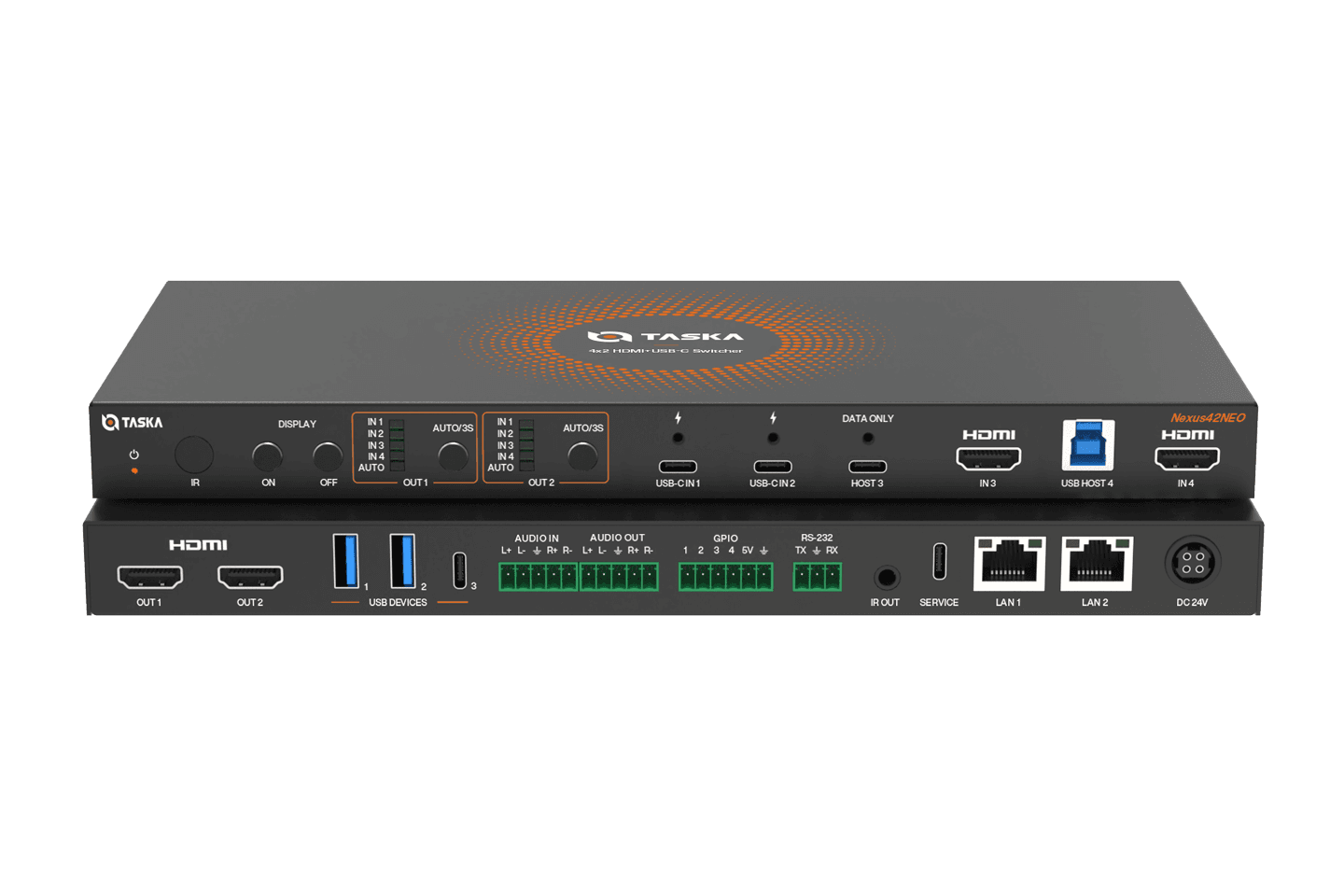
Choose a switcher when several laptops share the room display and USB peripherals. Nexus21NEO provides a 2×1 switching role; Nexus42NEO provides a 4×2 switching role.

Extend from table to wall.

Choose extenders when the table and wall need an HDMI + USB or USB-C link. Select a transmitter and receiver by their endpoint interfaces; NexusH and NexusC can be mixed.

Combine both for larger rooms.

Use switching and extension together when the room needs source selection at the table and a separate table-to-wall link. Their specifications remain separate: a 5K60 extender does not turn a 4K60 switcher into a 5K60 device.

Check USB-C and charging before specifying.

Check the laptop’s DisplayPort Alt Mode support, USB peripheral requirements and cable specification before selecting a USB-C path. Charging up to 100 W on NexusC-T requires Taska’s dedicated power supply and a compatible laptop and cable.

Validate the video bar.

Check the exact video bar model, firmware and USB operating mode. The examples show intended signal paths, not universal compatibility with USB-C devices.

HDMI + USB Switcher

HDMI + USB Extension

Application examples

Design the room around the connection.

These diagrams show how Nexus endpoints connect the table, the wall and the meeting peripherals.

01 · USB-C meeting table

One USB-C connection at the meeting table.

Bring charging, display video, room audio and USB camera or microphone data to the laptop through one room link.

Table side
SOURCELaptopUSB-C video · audio · USB data
TRANSMITTERNexusC-TUp to 100 W PD with dedicated PSU
Wall side
RECEIVERNexusH-RHDMI output · USB downstream
Endpoints
DisplayHDMI video + audio
USB video barCamera + microphone

Mixed NexusC-T and NexusH-R pairing lets the table use USB-C while the wall uses HDMI and USB.
02 · Cisco Bar Mini BYOM

Bring your own meeting to Cisco Bar Mini.

Connect a laptop at the table and carry the full USB-C BYOM workflow to the Cisco Bar Mini at the display.

Table side
SOURCEMeeting laptopUSB-C BYOM
TRANSMITTERNexusC-T100 W PD with dedicated PSU
Wall side
RECEIVERNexusC-RFull-function USB-C
Meeting endpoint
Cisco Bar MiniCamera · microphone · display

NexusC-T and NexusC-R keep the BYOM source and conferencing endpoint on one full-function USB-C path.

03 · Ten-person meeting room

Automatic switching for a larger meeting room.

Combine two USB-C laptops, two HDMI sources and a Rally Bar with automatic source selection from the meeting table.

Meeting table
2 × USB-C laptopsFull-function USB-C
2 × HDMI sourcesPresentation inputs
Table processor
SWITCHERNexus42NEO4×2 HDMI + USB-C
Table / wall link
TRANSMITTERNexusH-THDMI + USB over CAT6a
RECEIVERNexusH-RHDMI + USB endpoint
Wall side
DisplayHDMI video
Rally BarUSB camera + microphone

Nexus models

Choose the endpoint for the room.

Extensions

Carry the room connection.

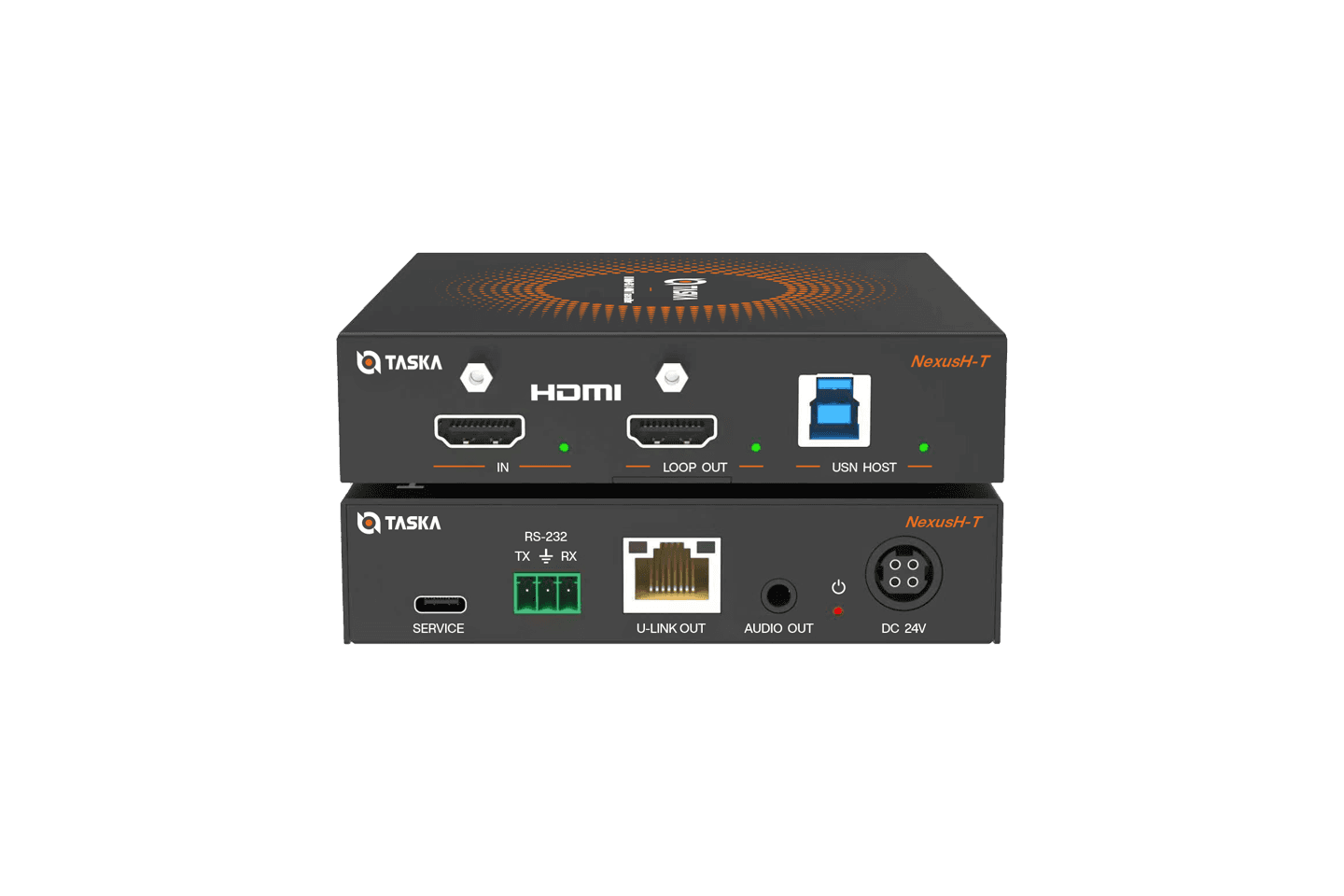
Official Taska NexusH-T product view 1

Extension · NexusH-T

HDMI+USB 40M Transmitter

An HDMI and USB transmitter with HDMI loop output, USB upstream connectivity and CAT6a transport.

  • HDMI input and loop output
  • Up to 2.5 Gbps USB data extension
  • CAT6a signal transport
Explore NexusH-T
Official Taska NexusH-R product view 1

Extension · NexusH-R

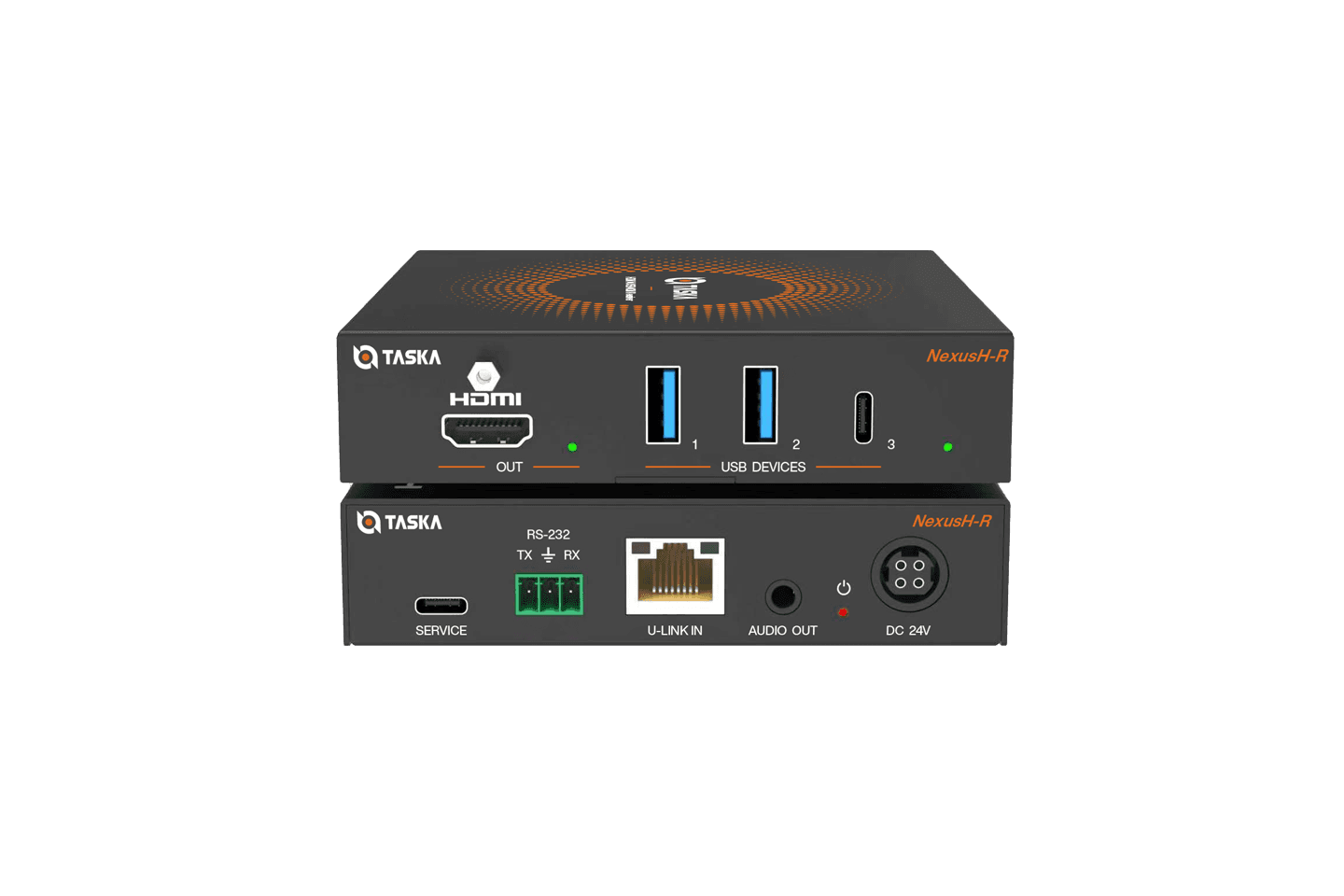
HDMI+USB 40M Receiver

An HDMI and USB receiver with HDMI output, USB downstream connectivity and CAT6a transport.

  • HDMI output
  • Three USB 3.2 downstream ports with up to 2.5 Gbps transport
  • CAT6a signal transport
Explore NexusH-R
Official Taska NexusC-T product view 1

Extension · NexusC-T

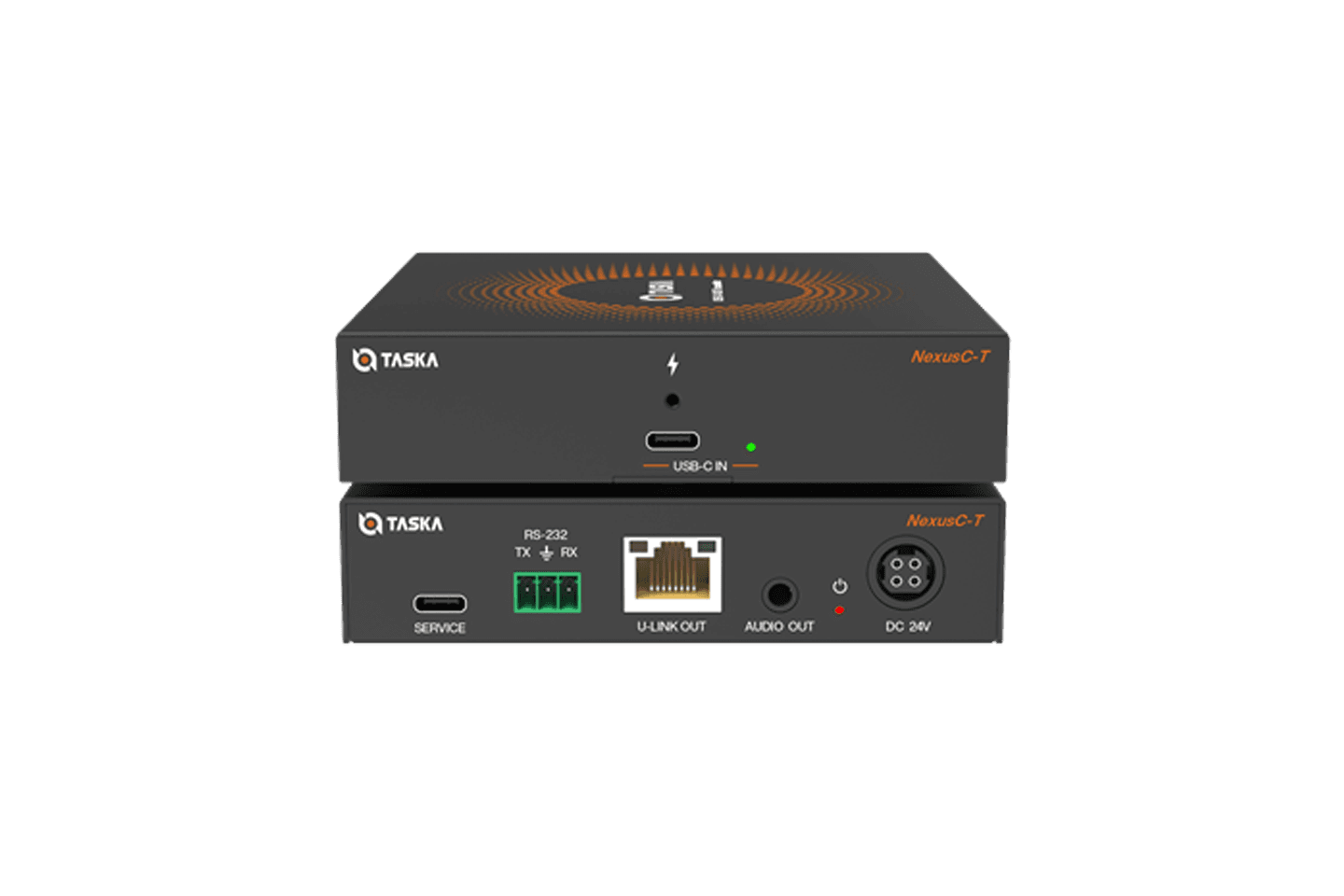
USB-C 40M Transmitter

A full-function USB-C transmitter supporting DP Alt video and 2.5 Gbps USB data extension over one CAT6a link.

  • USB-C DP Alt & 2.5 Gbps USB data extension over one CAT6a link
  • Up to 100 W PD charging (powered transmitter)
  • CAT6a signal transport
Explore NexusC-T
Official Taska NexusC-R product view 1

Extension · NexusC-R

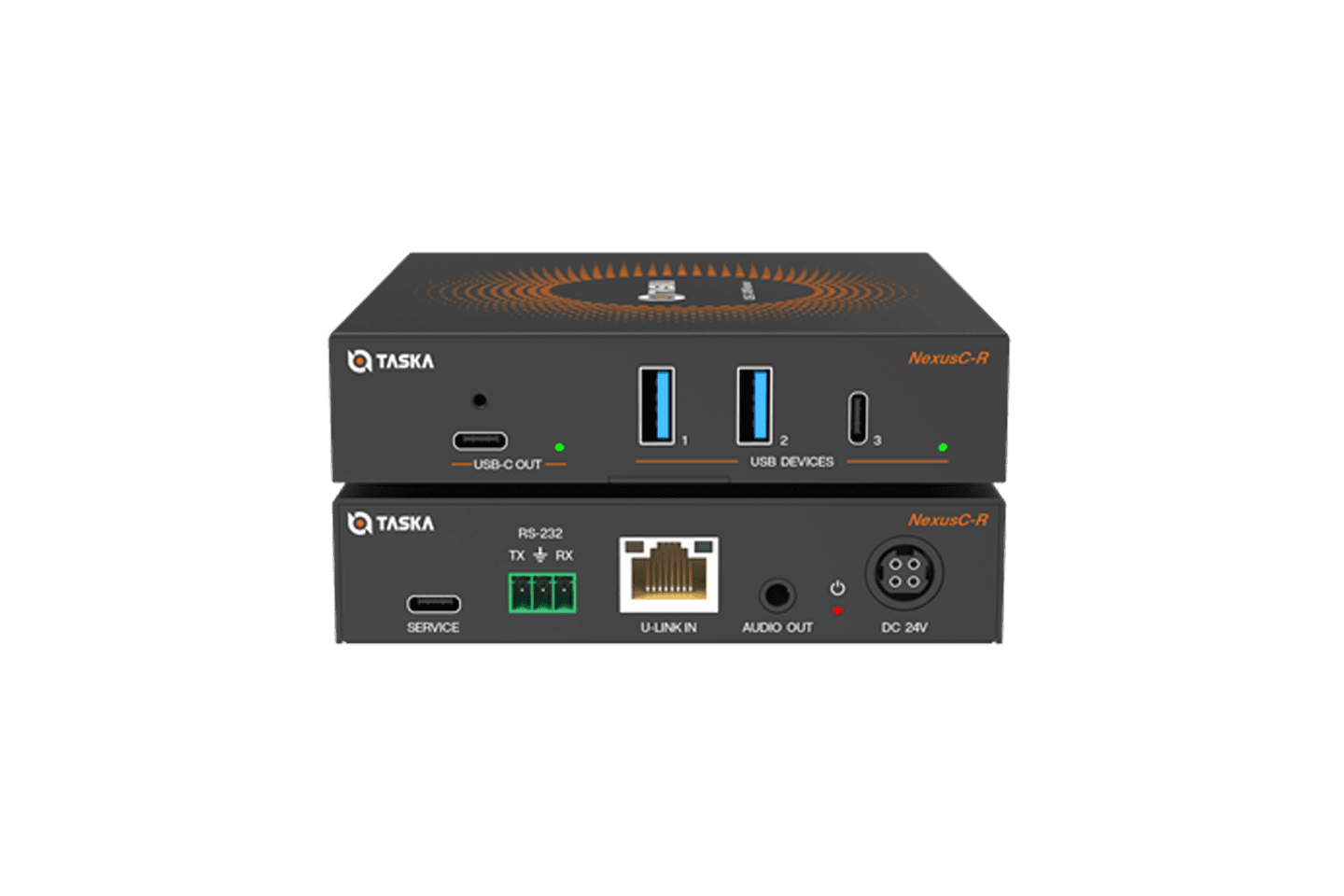
USB-C 40M Receiver

A full-function USB-C receiver supporting DP Alt video and 2.5 Gbps USB data extension over one CAT6a link.

  • USB-C DP Alt & 2.5 Gbps USB data extension over one CAT6a link
  • Audio de-embedding
  • CAT6a signal transport
Explore NexusC-R

Switchers

Bring every source into the meeting.

Official Taska Nexus21NEO product view 1

Switcher · Nexus21NEO

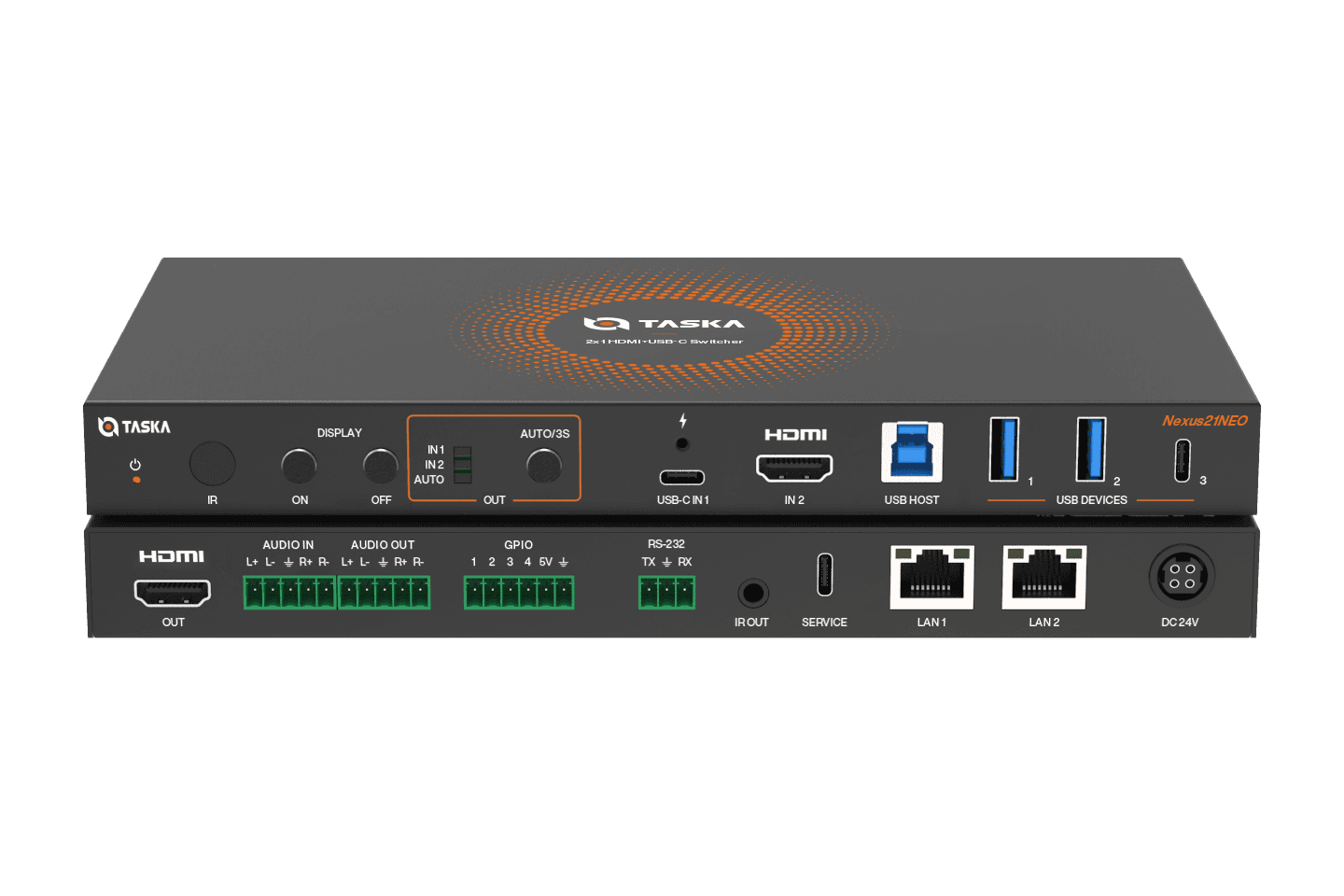
2x1 HDMI+USB-C Switcher

An HDMI and USB-C presentation switcher with a local USB hub, analog audio handling and system control.

  • Full-function HDMI and USB-C source switching
  • USB 3.2 Gen 1 host and hub
  • 100 W USB-C power delivery
Explore Nexus21NEO
Official Taska Nexus42NEO product view 1

Switcher · Nexus42NEO

4x2 HDMI+USB-C Switcher

An HDMI and USB-C presentation switcher with USB host and hub functions, USB-C power delivery, analog audio handling and system control.

  • Two HDMI and two full-function USB-C inputs
  • USB 3.2 Gen 1 host and hub
  • USB-C power delivery
Explore Nexus42NEO

Model comparison

The connection at a glance.

ModelRoleSource interfaceEndpointVideoUSB dataTransportRecommended application
NexusH-TExtension · transmitterHDMI + USBHDMI loop + USB upstream5K60 4:4:4Up to 2.5 GbpsCAT6aTable-side HDMI + USB
NexusH-RExtension · receiverHDMI + USBHDMI output + USB downstream5K60 4:4:4Up to 2.5 GbpsCAT6aDisplay + USB video bar
NexusC-TExtension · transmitterFull-function USB-CUSB-C DP Alt + USB data5K60 4:4:4Up to 2.5 GbpsCAT6aUSB-C meeting table
NexusC-RExtension · receiverCAT6a transportFull-function USB-C5K60 4:4:4Up to 2.5 GbpsCAT6aUSB-C BYOM endpoint
Nexus21NEOSwitcher · 2×11 HDMI + 1 USB-CHDMI output + USB host4K60USB 3.2 Gen 1LocalSmall meeting room
Nexus42NEOSwitcher · 4×22 HDMI + 2 USB-CHDMI outputs + USB host4K60USB 3.2 Gen 1LocalLarger meeting room

Product resources

Specify with confidence.

Review each model’s datasheet, user manual and command list before finalising the room topology.

Browse Nexus resources
TASKA · ENQUIRIES

Leave us a message.

Tell us what you need and how to reach you.

Reply by
Add product or project details (optional)
Privacy notice